The printed CDC checklist
- Cost
- Free PDF
- What you get
- 16 questions with fixes, by room
- Reminders and rechecks
- None; it is paper
- Sharing
- Photograph the page
- Best for
- Everyone, as the starting list
How to make a house safer for elderly parents without turning it into a project nobody finishes: walk the rooms with the CDC’s checklist, sort what you find into this week, this month and someday, and give everyone a list with their name on it. Three ways to run that, compared, including our app.
10:05 amYou arrive with coffee and no plan beyond “have a look round”. The rug in the hall has a curled corner. You have seen it for six years.
10:20 amPhone out. Hallway: loose rug, cord across the path to the lamp. Two taps each, a photo, a marker on the exact spot. This week.
10:50 amBathroom walkthrough. The question is whether she has any concern about stepping into the bath; she says no, then says “well”. Grab bar: this month, and a note to ask about an occupational therapist visit.
12:30 pmNine rooms, eleven items, four of them done before lunch with tape, a bulb and a nightlight. The rest go out as a plain-text list to your sister with names next to them.
A month laterA reminder: look again at the hall rug. It has crept back. You fix it properly this time.
The CDC’s Check for Safety has 16 questions across stairs, floors, kitchen, bedrooms and bathrooms. Ask them out loud, with your parent.
This week: tape, bulbs, nightlights, a bath mat. This month: handrails, grab bars, stair lighting, a proper step stool. Someday: furniture and shelves.
A list with owners and dates gets done; a list without them is a wish. Recheck in 30 days, because rugs come back.
Not a competition. Most families should use the first and the third, and the second whenever mobility is the worry.
With the CDC checklist above, room by room, on a day your parent is home and part of it. The this-week items are cheap and quick (rugs, cords, bulbs, nightlights, a bath mat); the this-month items need a handyman or electrician (handrails, grab bars, stair lighting). Do the first group the same day.
For mobility, structural, electrical or fire-safety concerns, yes. An occupational therapist can do a home safety assessment tailored to how your parent actually moves; ask their doctor or the local Area Agency on Aging. RoomMend’s own listing says it is not an inspection, certification or fall-risk assessment.
Recheck. A rug comes back, a bulb goes again. RoomMend plans a reminder to look again 30 days after a fix is ticked done, and keeps before, after and recheck photos in the room’s history, per the listing.
Give them a list with names on it. The app sends the fix list by Messages or email as plain text, or a PDF per room, and each fix can carry who is doing it and a target date. The copy box above makes a plain-text version right now.
Per the listing: every walkthrough, unlimited rooms and notes, the fix list, reminders, rechecks, side-by-side compare and room PDFs are free. Plus is a one-time purchase (no subscription) for more homes, more photos per room, the whole-home binder PDF, the before/after slider, annotated export and the full timeline.
No address, no location, no account, no ads, no analytics; records and photos stay on the device and it works offline, per the listing. Optional Face ID lock.
Tick what you found. The counts and the plain-text list update instantly. Nothing leaves this page.
RoomMend’s listing says it is not a home inspection, safety certification, fall-risk assessment or medical tool, and it does not detect hazards in photos. It organises your notes.
The app records that someone said the work was done. You still go and look; that is what the 30-day recheck is for.
One-time purchase for more homes, more photos per room, the whole-home binder PDF and the before/after slider. The free tier covers one home fully.
Released 14 October 2026. Few reviews yet; the walkthrough sources (CDC, NIA, NFPA, CPSC) are the part to trust.
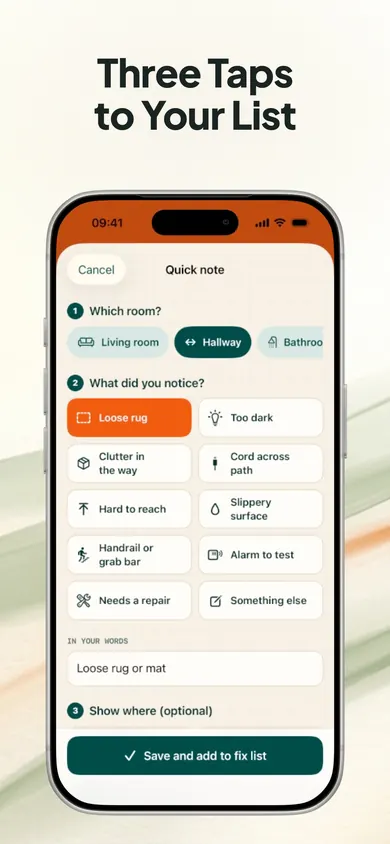
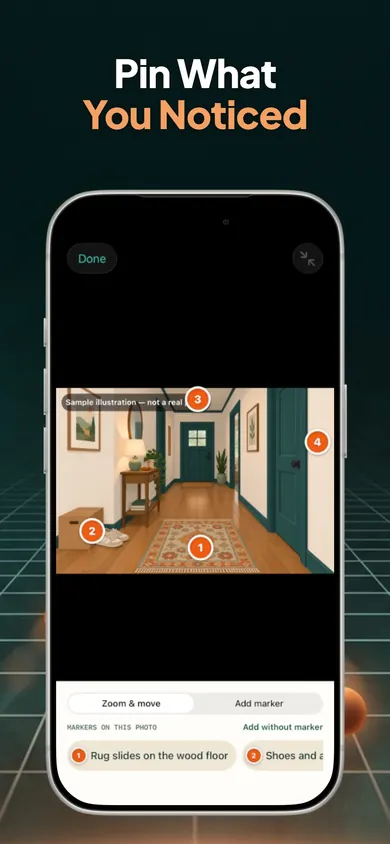
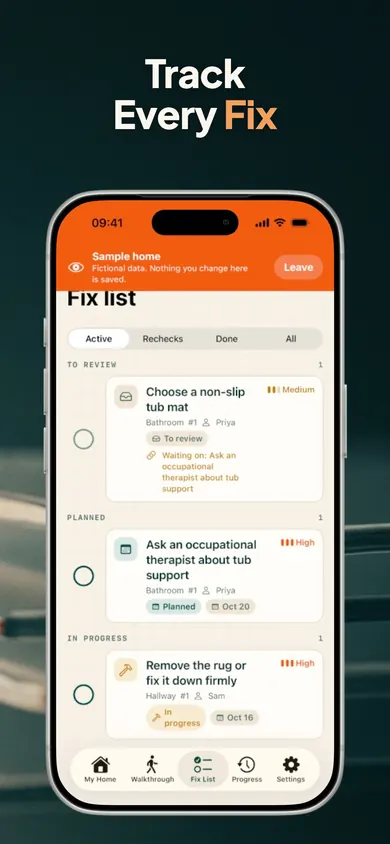
RoomMend: Safer Home Plans. Room-by-room walkthroughs, three-tap notes with photo markers, a fix list with names, and a look-again reminder in 30 days. No account, no ads, offline.
General information for families, not a safety assessment. For electrical, gas, structural, fire-safety or mobility concerns, consult a qualified professional.